
Introduction
The internet is now a big part of our daily lives. We use it to learn, work, shop, chat, and relax. However, while the online world offers many benefits, it also comes with risks. Cybercriminals, scammers, and data thieves are always looking for easy targets. This is why learning how to stay safe online is no longer optional. It is a basic life skill in today’s digital age.
Many beginners believe that online safety is only about antivirus software. In reality, it is much more than that. It involves your habits, your awareness, and the choices you make every day. From clicking links to sharing personal details, even small actions can create big problems if done carelessly. That is why understanding how to stay safe online can protect not only your devices but also your money, identity, and peace of mind.
The good news is that online safety does not have to be complicated. With simple steps and consistent habits, anyone can reduce risks and enjoy the internet with confidence. This guide is written in clear and simple English for beginners and intermediate users. You will learn what online safety means, why it matters, and exactly what actions you should take. By the end, you will feel more confident and better prepared to protect yourself online.
What Is How to Stay Safe Online?
How to stay safe online means using the internet in a smart and secure way. It is about protecting your personal information, devices, and online accounts from threats. These threats may include hackers, scammers, malware, fake websites, and data leaks. Online safety focuses on prevention rather than fixing problems after they happen.
At its core, staying safe online is about awareness. You need to understand what risks exist and how they work. For example, phishing emails try to trick users into sharing passwords. Fake apps may steal your data without you knowing. Weak passwords make it easy for attackers to break into accounts. When you know these dangers, you can avoid them more easily.
Another key part of how to stay safe online is responsibility. Every user plays a role in their own protection. This includes choosing strong passwords, updating software, and being careful about what you click or download. Online safety also involves protecting others, such as children or elderly family members, by guiding them.
In simple terms, staying safe online means using common sense combined with basic digital skills. It is not about fear but about confidence. When you know how to stay safe online, the internet becomes a useful and enjoyable place instead of a risky one.
Why Is How to Stay Safe Online Important?
Learning how to stay safe online is important because digital threats are increasing every year. As more people go online, criminals also find new ways to exploit users. One small mistake can lead to serious consequences, such as financial loss or identity theft.
Online safety protects your personal data. Your name, phone number, photos, and banking details are valuable. If they fall into the wrong hands, they can be misused. For example, stolen identity information can be used to open fake accounts or make illegal purchases.
Another reason online safety matters is emotional well-being. Cyberbullying, online harassment, and scams can cause stress and fear. People who do not know how to stay safe online are more likely to become victims. Knowing what to avoid helps you stay calm and in control.
Online safety is also important for businesses and careers. Employers expect basic digital awareness. A hacked email account or leaked data can damage your professional image. By practicing safe online habits, you protect your reputation and future opportunities.
Finally, staying safe online helps build trust in the digital world. When users act responsibly, the internet becomes a safer place for everyone. That is why understanding how to stay safe online is essential for modern life.
Detailed Step-by-Step Guide
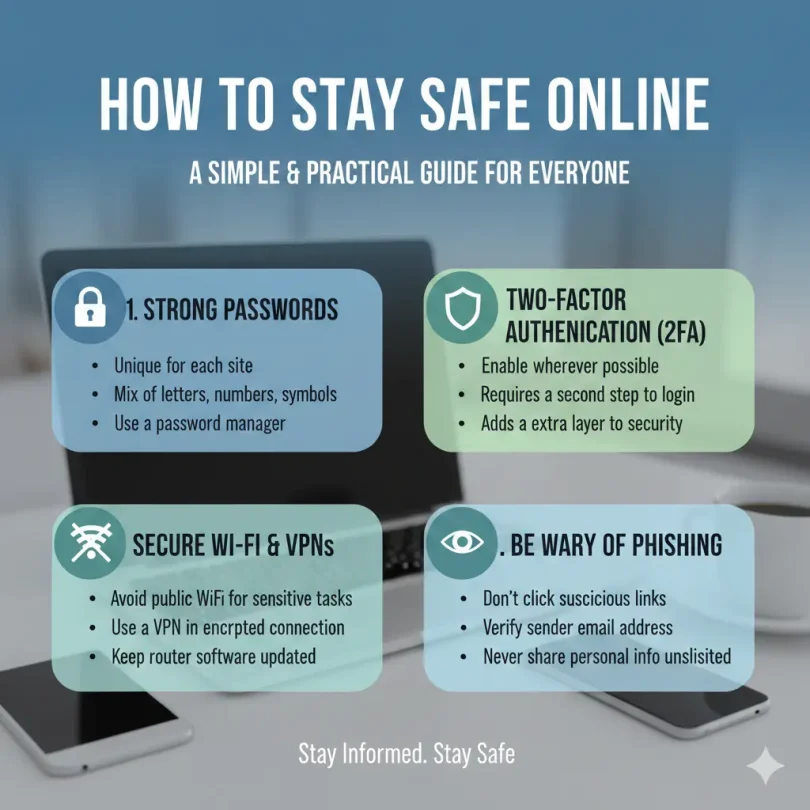
Step 1: Use Strong and Unique Passwords
Passwords are your first line of defense. Weak passwords are easy to guess and dangerous.
Use passwords with:
- At least twelve characters
- A mix of letters, numbers, and symbols
- No personal information
Avoid using the same password on multiple sites. If one account is hacked, others remain safe.
Step 2: Enable Two-Factor Authentication
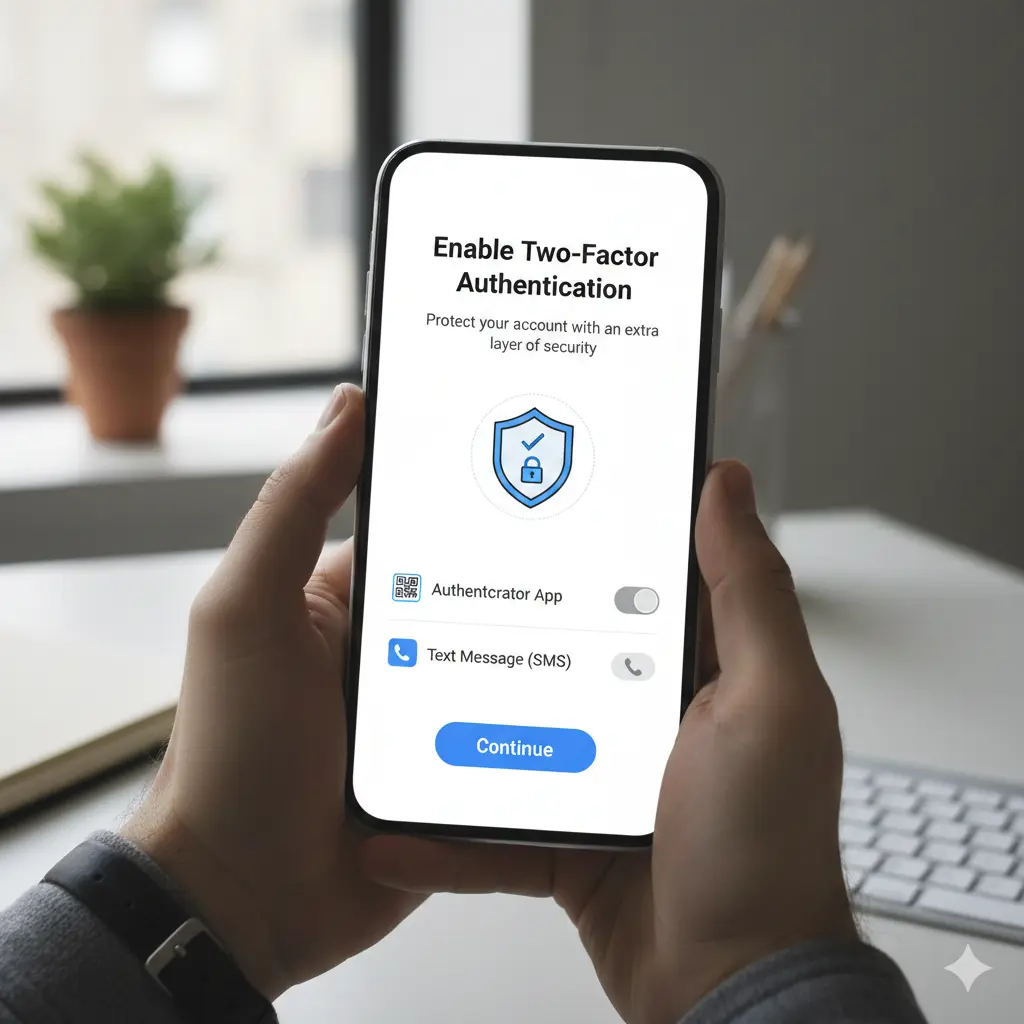
Two-factor authentication adds an extra layer of security. It requires a second step, such as a code sent to your phone.
Even if someone steals your password, they cannot access your account without the second factor. This simple step greatly improves how to stay safe online.
Step 3: Keep Software and Devices Updated
Updates fix security problems. When you ignore updates, you leave your device open to attacks.
Always update:
- Operating systems
- Browsers
- Apps
Automatic updates are the safest option.
Step 4: Be Careful with Emails and Messages
Scammers often use fake emails and messages to trick users. These messages may look real but contain harmful links.
Warning signs include:
- Urgent language
- Unknown senders
- Requests for personal data
Never click suspicious links or download unknown files.
Step 5: Use Secure Internet Connections
Public Wi-Fi is risky. Hackers can spy on data shared over open networks.
To stay safe:
- Avoid banking on public Wi-Fi
- Use secure, password-protected networks
- Turn off auto-connect features
Step 6: Protect Your Personal Information
Think before sharing personal details online. Not every website needs your full information.
Limit sharing:
- Address and phone number
- Personal photos
- Financial details
Privacy settings on social media help control who sees your content.
Step 7: Install Trusted Security Tools
Antivirus and firewall tools help detect threats early. They block malware and unsafe websites.
Choose trusted tools and keep them updated for best results.
Step 8: Practice Safe Browsing Habits
Only visit secure websites. Look for signs of safety, such as secure connections.
Avoid:
- Pirated software
- Unknown downloads
- Suspicious pop-ups
Safe browsing is a daily habit that supports how to stay safe online.
Benefits of How to Stay Safe Online
- Protects personal and financial information
- Reduces risk of scams and fraud
- Builds confidence in using digital tools
- Improves online privacy and control
- Supports career and business security
- Creates safer online experiences
Disadvantages / Risks
- Requires time to learn safe habits
- Security tools may slow devices slightly
- Overconfidence can still lead to mistakes
- Some threats evolve quickly
- Human error remains a risk
Common Mistakes to Avoid
Many users think they are safe but make simple mistakes. One common error is using easy passwords. Another mistake is trusting every email that looks official. People also forget to log out from shared devices, which can expose accounts.
Ignoring updates is another serious mistake. Delayed updates often contain important security fixes. Sharing too much information on social media is also risky. Scammers collect public data to plan attacks.
Finally, many users believe they are not targets. This mindset is dangerous. Anyone can be targeted online. Avoiding these mistakes is a big step in learning how to stay safe online.
FAQs
What is the easiest way to stay safe online?
The easiest way is to use strong passwords and avoid clicking unknown links. These two habits prevent many attacks.
Is antivirus software enough?
Antivirus helps, but it is not enough alone. Safe behavior and awareness are equally important.
Can beginners really stay safe online?
Yes, beginners can stay safe by learning basic rules and practicing them daily.
How often should I change passwords?
Change passwords every few months or immediately after a security alert.
Are public Wi-Fi networks dangerous?
Yes, public Wi-Fi can expose data. Avoid sensitive activities on such networks.
Why do scams look so real?
Scammers copy real brands and messages to gain trust. Awareness helps you spot them.
Expert Tips & Bonus Points
Experts recommend using password managers to handle multiple passwords safely. Regularly check account activity for unusual behavior. Backup important data to avoid loss from attacks. Educate family members about online safety, especially children. Staying informed about new threats is also important.
Most importantly, slow down before clicking or sharing. A few seconds of thinking can prevent major problems. Consistency is the secret to mastering how to stay safe online.
Conclusion
Staying safe on the internet is not about fear. It is about knowledge, habits, and confidence. When you understand how to stay safe online, you take control of your digital life. Simple actions like strong passwords, careful browsing, and regular updates can make a huge difference. These steps protect your data, your identity, and your peace of mind.
The internet will continue to grow and change. New tools, platforms, and risks will appear. That is why online safety is an ongoing process, not a one-time task. By practicing safe habits daily, you build a strong defense against common threats. You also set a positive example for others around you.
Remember that no system is perfect, but awareness reduces risk. Mistakes can happen, but learning from them makes you stronger. With the right mindset and basic skills, anyone can enjoy the benefits of the digital world safely.
In the end, how to stay safe online is about balance. Use the internet freely, but wisely. Stay curious, stay informed, and stay secure. When you do, the online world becomes a powerful and positive part of your life.